OpenCTI Custom Dashboards Library
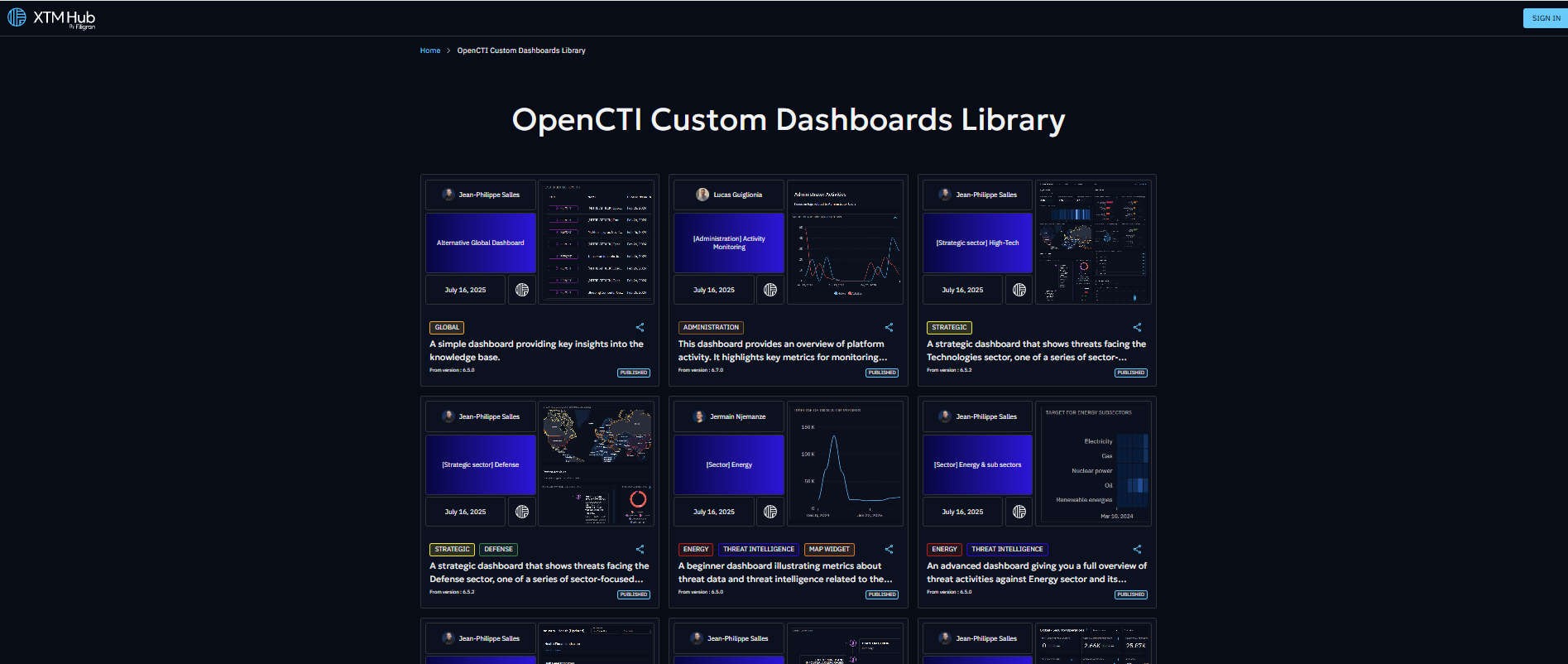
A comprehensive library of custom dashboards is now available on XTM Hub, providing seamless access to curated threat intelligence data. Currently, the library focuses on custom dashboards that can be directly deployed to OpenCTI products and created by our Filigran Team.
Overview
The XTM Hub custom dashboards library represents a significant advancement in threat intelligence accessibility. The library features pre-built custom dashboards that have been curated by the Filigran team, ensuring high-quality, relevant threat intelligence data. Organizations can benefit from one-click deployment capabilities that integrate directly with connected OpenCTI products, while maintaining completely free access without any cost barriers. Additionally, the product supports public browsing, allowing users to explore available dashboards without requiring authentication.
Getting Started
Accessing the Library
The XTM Hub provides two distinct access methods to accommodate different user needs. Authenticated access offers the complete feature set, including the ability to browse and download custom dashboards, deploy custom dashboards directly to connected OpenCTI products, and access detailed dashboard information and metadata. For users who prefer to explore before committing, public access provides read-only capabilities through the cybersecurity-solutions portal, where the complete library catalog can be viewed along with dashboard descriptions and details without requiring any connection or subscription.
Working with Custom Dashboards
Dashboard Exploration
The XTM Hub provides comprehensive information when you interact with any custom dashboard tile in the library. Each dashboard includes detailed specifications and content descriptions to help you make informed decisions about integration. Download options are readily available for users who prefer manual import processes, while sharing capabilities allow you to generate shareable links that facilitate easy collaboration with team members and external partners.
Manual Import to OpenCTI
Organizations that prefer traditional import methods can easily download desired custom dashboards from the library and manually integrate them into their OpenCTI products. This process involves downloading the custom dashboard file, navigating to your OpenCTI product, and using the standard Import functionality to upload and configure the dashboard according to your specific requirements.
One-Click Deployment
The streamlined deployment process represents the most efficient method for integrating library custom dashboards
into your OpenCTI product (available from OpenCTI 6.7.10).
Before utilizing this functionality, your OpenCTI product must be properly connected in the XTM Hub (see OpenCTI connection documentation),
and your user account must possess the necessary UPDATE and CREATE permissions for custom dashboards within OpenCTI.
The deployment process is straightforward: select your desired custom dashboard, click the Deploy on OpenCTI button,
choose your target product if multiple products are connected,
and wait a few seconds until successful integration is confirmed in your OpenCTI product. You will be redirected to the newly created dashboard.
Sharing and Collaboration
The XTM Hub facilitates seamless collaboration through its comprehensive sharing functionality. Users can generate universal links for any custom dashboard, enabling cross-organization sharing with partners, clients, or team members without requiring recipients to maintain Filigran accounts. This approach removes barriers to information sharing while maintaining the integrity and accessibility of threat intelligence data across different organizational boundaries.
Technical Requirements and Best Practices
Successful integration with the XTM Hub requires attention to several technical considerations. Users deploying dashboards must maintain appropriate OpenCTI permissions, including UPDATE/CREATE capability for custom dashboards.