OpenCTI Custom Views Library
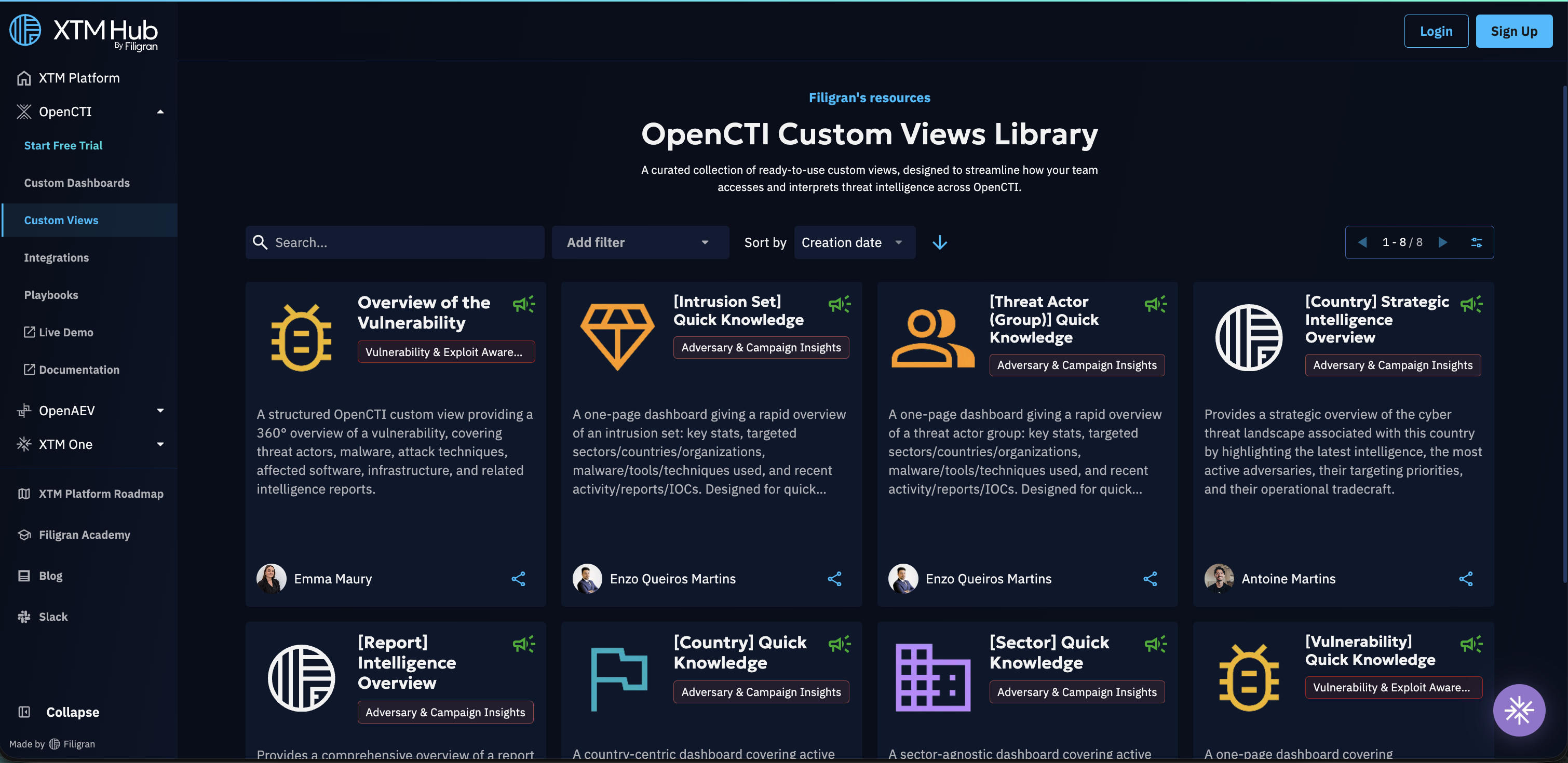
A comprehensive library of custom views is now available on XTM Hub, providing seamless access to curated, role-specific intelligence views. Currently, the library focuses on custom views that can be directly deployed to OpenCTI products and created by our Filigran Team.
Overview
The OpenCTI custom views library represents a significant advancement in analyst productivity and threat intelligence accessibility. A custom view is a widget-based dashboard scoped to a specific entity type (such as Malware, Campaign, or Vulnerability) that surfaces the most relevant information as a dedicated tab directly on entity detail pages. Instead of navigating across multiple tabs and datasets, analysts see contextual intelligence panels right where they work.
The library features pre-built custom views that have been curated by the Filigran team, ensuring high-quality, relevant views tailored to common analyst use cases (SOC, FIMI, threat intelligence). All users can browse the library on XTM Hub completely free of charge, with or without authentication, and read the full details of each custom view before deciding to deploy it.
Getting Started
Accessing the Library
The XTM Hub provides two distinct access methods to accommodate different user needs. Authenticated access offers the complete feature set, including the ability to browse and download custom views, deploy custom views directly to OpenCTI products, and access detailed view information and metadata. For users who prefer to explore before committing, public access provides read-only capabilities through the Hub public portal, where the complete library catalog can be viewed along with view descriptions and details without requiring any connection or subscription.
The first time a member of your organization opens the OpenCTI Custom Views Library tile from the Hub home page, your organization is automatically subscribed to the service in one step. Subscription is free and instantly grants access to all users in your organization without any additional steps or recurring costs.
Working with Custom Views
Custom View Exploration
The XTM Hub provides comprehensive information when you interact with any custom view tile in the library. Each custom view includes detailed specifications and content descriptions to help you make informed decisions about integration. Download options are readily available for users who prefer manual import processes, while sharing capability allow you to generate shareable links that facilitate easy collaboration with team members and external partners.
The custom views library offers several filters to help you find the view that best suits your needs. You can search by name and filter custom views by entity type and by use case to quickly locate the views relevant to your workflow.
Manual Import to OpenCTI
Organizations that prefer traditional import methods can
easily download desired custom views from the library and manually integrate them
into their OpenCTI products. This process involves downloading the custom view JSON file,
navigating to your OpenCTI product under Settings → Customization → Entity type → Custom Views,
and using the Import a custom view functionality to upload the configuration.
One-Click Deployment
The streamlined deployment process represents the most efficient method for integrating library custom views into your OpenCTI product.
Before utilizing this functionality, the following prerequisites must be met:
- Your OpenCTI product must be properly connected in the XTM Hub (see OpenCTI connection documentation).
- Your user account must possess the necessary
Manage customizationcapability within OpenCTI.
The deployment process is straightforward: select your desired custom view, click the Deploy in OpenCTI button,
choose your target product if multiple products are connected,
and wait a few seconds until you are redirected to your OpenCTI product where the custom view is created.
The target entity type of the view is passed automatically, so the view is created against the right entity type without any additional configuration.

Sharing and Collaboration
The XTM Hub facilitates seamless collaboration through its comprehensive sharing functionality. Users can generate universal links for any custom view, enabling cross-organization sharing with partners, clients, or team members without requiring recipients to maintain Filigran accounts. This approach removes barriers to information sharing while maintaining the integrity and accessibility of intelligence views across different organizational boundaries.
Technical Requirements and Best Practices
Successful integration with the XTM Hub requires attention to several technical considerations.
Users deploying custom views must maintain appropriate OpenCTI permissions,
including the Manage customization capability.
Product connection involves connecting OpenCTI products in the XTM Hub.